AEO & GEO
Schema Markup for AI Search: What Really Helps
15 min read

Adam Khaled
Founder, Web25
Adam Khaled
Founder, Web25
Quick answer: Schema markup for AI search is code that labels the facts on your page, such as your business name, address, opening hours or an article’s author, so search engines and AI tools can read them without guessing. It helps machines understand your pages. Google says no special schema is needed to appear in its AI features.
A lot of AI search advice says “add schema” as if it were a switch that gets you into ChatGPT answers. The real picture is smaller and more useful. Schema markup for AI search helps machines read your page correctly, and that is worth doing. It will not rescue a page that does not answer the question. This guide covers what schema is, what the search companies have actually said about it, and the few types a small business site needs.
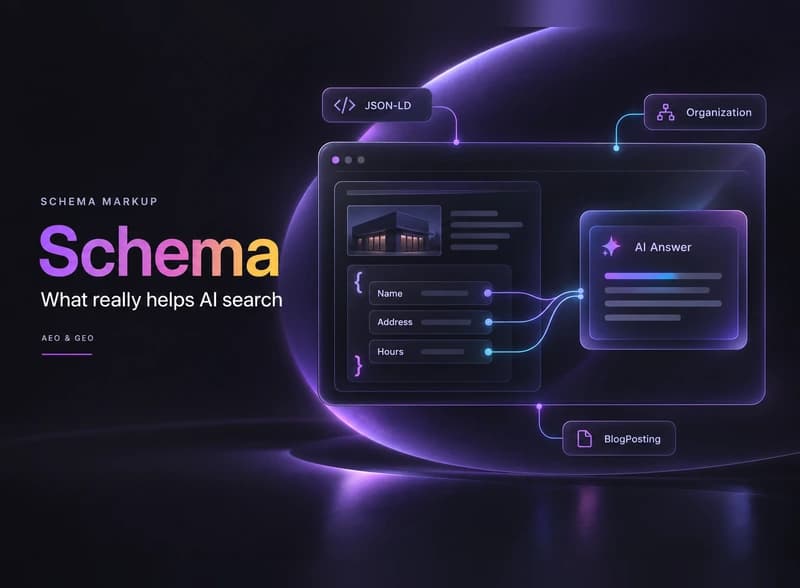
Schema markup is a set of labels in your page’s code that tells machines what each piece of information is. A person reads “Monday to Friday, 8 to 5” and knows those are opening hours. A crawler only sees text. Schema states, in a fixed format, that this text is the opening hours of this business.
The labels come from Schema.org, a shared vocabulary founded by Google, Microsoft, Yahoo and Yandex. According to Schema.org, over 45 million web domains used its markup as of 2024. Google calls this structured data and describes it as “a standardized format for providing information about a page and classifying the page content.”
Google recommends a format called JSON-LD. It is one block of code that sits in the page and does not change how the page looks. Here is a short example for a made-up plumbing business:
{
  "@context": "https://schema.org",
  "@type": "Plumber",
  "name": "Example Plumbing Co.",
  "url": "https://www.example.com",
  "telephone": "+1-216-555-0100",
  "address": {
    "@type": "PostalAddress",
    "streetAddress": "100 Main St",
    "addressLocality": "Cleveland",
    "addressRegion": "OH",
    "postalCode": "44101"
  },
  "openingHours": "Mo-Fr 08:00-17:00"
}
Every line matches something a visitor can also see on the page: the name, the phone number, the address and the hours. That match matters, as you will see below.
Schema markup helps AI search in a supporting role. It makes your facts easier for machines to read and match, but no search company has said it decides whether you get cited. Google says you need no special schema to appear in its AI features.
Google’s page on AI features and your website, last updated in December 2025, says there are “no additional requirements to appear in AI Overviews or AI Mode.” It also says “there’s also no special schema.org structured data that you need to add.” The same page lists structured data that matches the visible text as one of the normal good practices for any site.
Microsoft has been more positive. At SMX Munich in March 2025, Fabrice Canel, Principal Product Manager at Microsoft Bing, said schema markup helps Microsoft’s large language models understand content, as reported by Search Engine Roundtable. That covers Bing and Copilot.
OpenAI and Perplexity have not published guidance on schema markup. Their crawlers read the raw HTML of your page, and a JSON-LD block in that HTML is part of what they read. There is no public evidence that they cite pages because of it.
| Claim you will hear | What we actually know | Source |
|---|---|---|
| You need special schema to appear in Google AI Overviews | False. Google says no special schema is needed. | Google Search Central |
| Schema helps search engines understand a page | Confirmed by Google. | Google Search Central |
| Schema helps Microsoft’s AI understand content | Stated by Microsoft Bing in March 2025. | Search Engine Roundtable |
| FAQ schema gets you expandable FAQ results | Only for well known government and health sites since August 2023. | Google Search Central blog |
| Schema makes ChatGPT or Perplexity cite you | No public evidence either way. | None published |
Schema describes your page well, and a well described page is easier to trust and quote. If the page itself does not answer the question clearly, good labels will not get it quoted. Our guide on answer engine optimization covers how to write pages that AI tools can lift answers from.
Most small business sites only need three or four schema types. Start with your business details, then your articles and breadcrumbs, and add product schema only if you sell online.
| Schema type | Use it on | What it tells machines |
|---|---|---|
| Organization | Homepage or about page | Your business name, logo, website, contact details and social profiles |
| LocalBusiness | Homepage or location pages, if customers visit you or you serve an area | Address, phone, opening hours and the type of business |
| Article or BlogPosting | Blog posts and guides | Headline, author, publish and update dates, and the main image |
| BreadcrumbList | Every page below the homepage | Where the page sits in your site |
| Product | Product pages in an online store | Price, availability and reviews |
| FAQPage | Pages with a real FAQ that readers can see | The questions and answers on the page |
LocalBusiness is a more specific kind of Organization, with subtypes like Plumber, Electrician or Dentist. If you have a shop, an office customers visit or a service area, use LocalBusiness with the closest subtype. If you are an online-only business, Organization is enough.
This is the setup Web25 uses on its own site. The web25.io homepage carries Organization schema with the business address, plus FAQPage markup for the homepage FAQ. Every blog article, including this one, carries BlogPosting, BreadcrumbList and FAQPage markup. You can check it by running any of our pages through the Schema Markup Validator.
How you add schema depends on your platform. On WordPress a plugin does most of the work. On Webflow you paste JSON-LD into page settings. On a custom site your developer outputs it from the server.
SEO plugins such as Yoast SEO and Rank Math add schema automatically in JSON-LD once you fill in your business details in their settings. Check that only one plugin is doing this. Two SEO plugins, or a plugin plus a theme that adds its own schema, can produce two different versions of your business on the same page.
Webflow lets you add custom code inside the head tag in each page’s settings, which is where a JSON-LD block goes. On CMS collection pages, such as blog posts, you can insert collection fields into that code, so each post gets its own headline and dates automatically. Webflow explains this in its help article on custom code in the CMS.
On a custom built site, the schema should be part of the HTML your server sends. Google can read structured data that JavaScript adds after the page loads, including through Google Tag Manager, as its guide on generating structured data with JavaScript confirms. Most AI crawlers do not run JavaScript, as we covered in do AI crawlers read JavaScript. If schema markup for AI search matters to you, it should not depend on a tag manager.
Whatever the platform, keep one rule. Google’s structured data guidelines say “don’t mark up content that is not visible to readers of the page.” If your schema says you open at 7, the page should say 7 too.
Testing your schema markup for AI search takes two free tools and one quick look at your page source. It takes a few minutes per page type.
Test one page of each type, not every page. If your homepage, one article and one service page pass, the template is working.
Most schema problems come from details that do not match, or from markup nobody checked after setup.
The last one is common. Add a schema check to your launch checklist, right next to redirects and page titles.
Web25 is our agency. This guide covers it alongside alternatives. For many small business sites, a well configured SEO plugin is all the schema you need, and you can set it up yourself with the steps above. Where Web25 helps is on custom built sites, sites with several locations, and sites where schema, content and AI visibility need to be planned together. That work is part of our SEO, GEO and AEO service, and it pairs with our guide on how to appear in Google AI Overviews.
Do not expect a direct ranking jump from schema alone. Google uses structured data to understand pages and to show extras in results, such as breadcrumbs or product prices, which can make your listing more useful to searchers. Where you rank still depends mainly on whether your page is the most helpful answer to the search.
No. OpenAI has not published a schema requirement for ChatGPT answers. What matters more is a page that answers the question clearly in its raw HTML, plus mentions of your business on other trusted sites. Schema is a useful extra on top of that, because it states your key facts in a format machines can read.
In everyday use they mean the same thing. Structured data is the general idea of describing a page in a fixed, machine readable format. Schema markup is structured data that uses the Schema.org vocabulary, which is what Google, Bing and most tools expect. JSON-LD is the most common way to write it.
Yes, if the page has a real FAQ that readers can see. Since August 2023, Google only shows FAQ rich results for well known government and health websites, so most sites will not get the expandable questions in search results. Google says there is no need to remove the markup, and it still describes your questions and answers clearly.
For most sites, yes. Google recommends JSON-LD because it is the easiest format to add and maintain. It sits in one block of code instead of being mixed into your page's HTML tags, so a redesign is less likely to break it. Google treats Microdata and RDFa as equally valid when they are set up correctly.
On WordPress with an SEO plugin, the basic setup is usually a short job, because the plugin writes the code once you fill in your business details. Hand written LocalBusiness schema on a custom site takes longer, mainly for checking every detail against your Google Business Profile and testing each page type.
No. They do different jobs. Schema markup labels the facts on each page. An llms.txt file is a proposed text file that points AI tools to your most useful pages. Google says you do not need either one to appear in its AI features, so treat both as optional extras on top of good pages.
Open your homepage, view the source and search for “application/ld+json”. If nothing shows up, start with Organization or LocalBusiness schema and test it with the two tools above. If you would like a second pair of eyes on it, book a discovery call.
Written by Adam Khaled, Founder, Web25. Last updated October 2026.
How to create llms.txt in plain steps: what to put in the file, a copy-paste template, how to add it on WordPress, Webflow or Shopify, and what it really does.

A zero-click search strategy in plain English: why fewer people click, what Web25’s own Google data shows, and how to stay visible when nobody clicks.
Webflow vs WordPress in plain English: hosting, cost, design, SEO, maintenance and plugins compared, plus a simple way to decide which fits your business.