AEO & GEO
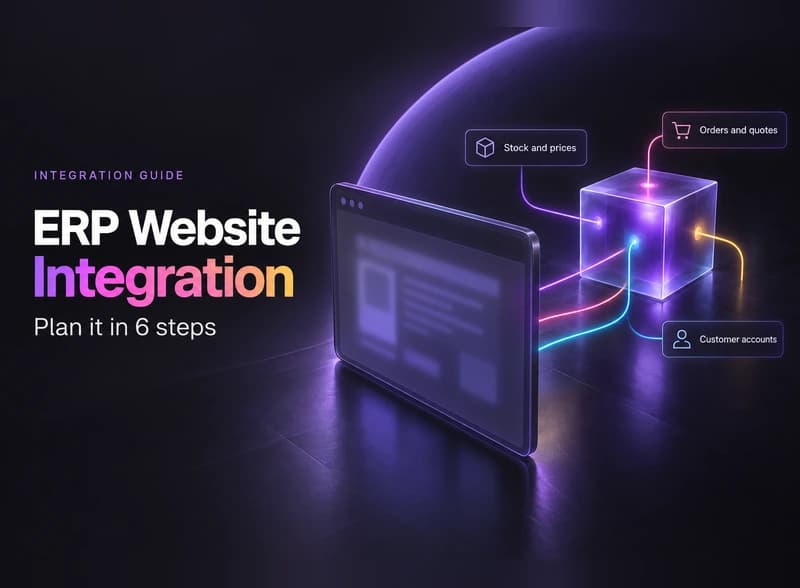
ERP Website Integration: Plan It in 6 Steps
15 min read

Adam Khaled
Founder, Web25
Adam Khaled
Founder, Web25
Quick answer: ERP website integration links your website to the system that holds your stock, prices, customers and orders, so data stops being retyped. Five routes exist: the ERP’s own web module, a native connector, a plugin or automation tool, a custom build, or a file exchange. Start with the one needing the least new building.
ERP website integration is a live connection between your website and your ERP, so the two share data instead of you retyping it. An ERP (enterprise resource planning system) is the software that runs your stock, orders, customers and accounts in one place.
The idea is the same as ERP system integration, which links an ERP to any other system. Here the other side is your website. The website can be a store, but it can also be a price list, a quote form or a customer login.
Accounting tools aren’t the same thing. If you only use Xero for the books, read our Xero WooCommerce integration guide instead. If you sell on Shopify and keep the books in QuickBooks, read our QuickBooks Shopify integration guide.
A website can do four jobs with ERP data, and each moves data in a different direction. Name the jobs you need before you look at tools.

Most small businesses need one or two of these, not all four. Start with the one that costs you the most retyping today.
Each ERP vendor publishes its own way in, and some add limits. Read the vendor’s page for your version, because these facts change. The table quotes the vendor documentation as we read it on October 22, 2026.
| ERP | How a website connects | Limit or rule to check first | Ready-made route in the docs | Our guide |
|---|---|---|---|---|
| Odoo 19 | The external JSON-2 API: “Post a JSON object at the /json/2/<model>/<method> URL”, with a bearer API key | “Access to data via the external API is only available on Custom Odoo pricing plans.” XML-RPC and JSON-RPC are “scheduled for removal in Odoo 22 (fall 2028) / Odoo Online 21.1 (winter 2027)” | Odoo eCommerce, “an open-source platform for building and managing an online store” | Odoo WooCommerce integration |
| NetSuite | REST web services: “CRUD (create, read, update, delete) operations to manage NetSuite records”, plus metadata and queries | Not covered in this guide. Check with your NetSuite admin | Connectors are covered in the pairing guides | Shopify NetSuite integration and NetSuite WooCommerce integration |
| Dynamics 365 Business Central | API v2.0: the salesOrder resource supports GET, POST, PATCH and DELETE | For the Shopify Connector, “A refresh token remains valid for up to 90 days without a successful refresh” | The Shopify Connector: “The app is preinstalled for all new sign-ups and trials” | Dynamics 365 ecommerce integration |
| POHODA | XML exchange with a custom WordPress plugin that exposes a single authenticated REST endpoint, as in the Mirael3D case study | In that project, exchange is “started manually by the accountant, not by a background schedule” | None checked. The case study uses a custom plugin | Mirael3D POHODA case study |
The Odoo limit is about the external API. The 90-day line belongs to the Shopify Connector’s token, not to every Business Central API. SAP and other ERPs are not in the table because we didn’t check their documentation for this guide.
Start with what your ERP and your platform already offer. There are five routes, and many sites mix two.
| Route | Fits when | Example | Watch out for |
|---|---|---|---|
| 1. The ERP’s own web module | You can build the site inside the ERP | Odoo eCommerce covers the order flow “from sales and abandoned carts to delivery, stock management, returns, and invoicing” | Less freedom over design and platform |
| 2. Native or vendor connector | Your ERP and platform are a supported pair | The Business Central Shopify Connector | Token renewals and the connector’s own limits |
| 3. Plugin or automation tool | Simple flows, low volume | A plugin for your platform, or a middleware tool that moves data between two systems | Rules the tool can’t change |
| 4. Custom API integration | Your rules or data outgrow a tool | A purpose-built connection to the ERP’s API | Developer hours and upkeep |
| 5. Manual or scheduled XML or file exchange | Data changes slowly, or a person must approve it | Mirael3D: POHODA sends XML to a custom WordPress plugin when the accountant starts the exchange | Delays between runs |
Check routes 1 and 2 first, because they involve the least new building. A file exchange looks old-fashioned, but it can be the right answer when one person approves the data anyway.
When routes 1 to 3 don’t fit, read our guide to custom API integration services for the build. For money questions, see API integration cost.
Plan flow by flow, before anyone writes code. These six steps are for planning only. The build steps live in the guide above.
Our Odoo WooCommerce integration guide explains what to ask your Odoo host.
An ERP link can fail quietly: pages still load while stock or orders stop moving. The first three items below come from vendor documentation, so give each one an owner and an alert.
The first three are limited to the platforms named, so check the same things for yours. For store-side changes such as Shopify’s API versions, see our custom API integration services guide.
Web25 is our agency; this guide covers it alongside alternatives.
If the ERP’s web module or a vendor connector already handles your flows, you may not need a developer. Web25’s work starts where those stop: custom connections between a website or store and the business software behind it, through its backend and API service.
The proof is one public project. The Mirael3D POHODA case study connects a WooCommerce store and POHODA through a custom WordPress plugin. Stock moves from POHODA to WooCommerce and orders move back. It went live on August 30, 2026, and all 129 matched products agreed with POHODA in the latest full audit. We haven’t published NetSuite, Odoo, SAP or Business Central projects, so this guide treats those ERPs through the vendors’ documentation only.
Checked October 22, 2026. The Odoo, Oracle and WooCommerce pages show no publish or update date, so quotes are as read on that day (Odoo’s pages are the version 19.0 documentation). Microsoft’s salesOrder page shows a last update of August 21, 2026, and its Shopify Connector page shows a last update of October 1, 2026.
Yes, if the ERP offers a way in, such as an API or a file exchange, and your site can send and receive the data. Forms, catalogs and account pages all work that way. The platform matters less than the flows, so list those first. Then check what your ERP supports.
Work through the six steps above in order. List each flow, confirm your ERP plan allows outside access, look for a built-in module or connector, pick the timing, choose a route, and name an owner. Start with one flow. Add the next one only after the first runs cleanly.
Not always. Decide per flow. Stock on a busy store may need frequent updates, while a price list may change once a week. In the Mirael3D case study, the exchange is started manually by the accountant, and the latest full audit matched all 129 products. A slower exchange can be enough.
No. Accounting software, such as Xero, holds your books. An ERP holds accounting as well as stock, orders and customers. If your website only needs to send invoices to the books, accounting software may be all you have to connect. Our Xero WooCommerce integration guide covers that case.
Sometimes. A built-in module keeps the site and the ERP in one system, so they share one set of data. The trade-off is design and platform freedom, because you work inside what the ERP’s web module offers. Odoo’s eCommerce is one example. If your current site is working, an integration may cost less than a move.
It depends on the route. A built-in module or native connector may need only a plan or setup. Custom work adds developer hours, and every route adds upkeep. We don’t give prices here. Our API integration cost guide lists which parts of the bill have published prices.
List your flows and check your ERP plan first. If you’d like a second opinion on the route, book a discovery call.
Written by Adam Khaled, Founder, Web25. Published October 22, 2026. Last updated October 22, 2026.
QuickBooks Shopify integration in 7 steps: pick the right QuickBooks, choose an app or custom code, and make each Shopify payout match your bank deposit.
API integration cost in 2026, from sourced numbers only: developer pay from BLS, tool and API fees, upkeep, and a worksheet to price your own project.

Agentic SEO means AI agents doing SEO work, not just suggesting it. What it is, what Google allows, the real risks, and when a small site should skip it.