AEO & GEO
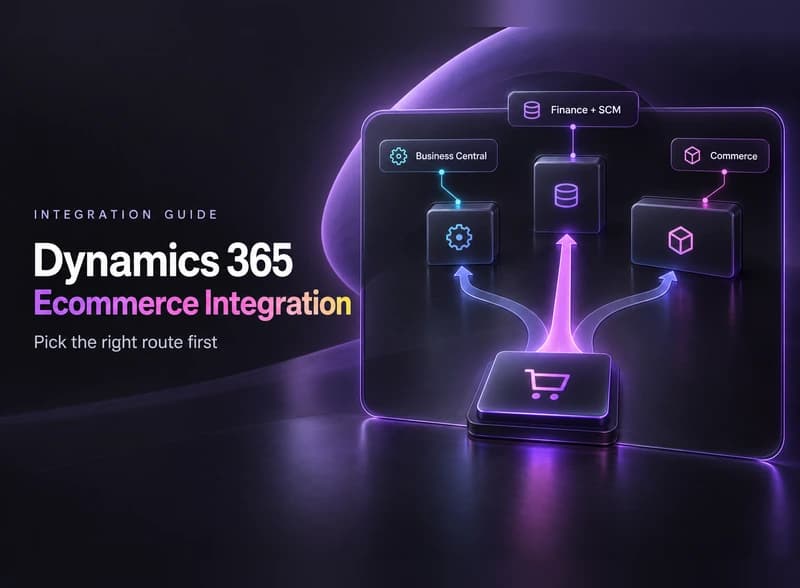
Dynamics 365 Ecommerce Integration: Setup Guide
16 min read

Adam Khaled
Founder, Web25
Adam Khaled
Founder, Web25
Quick answer: Dynamics 365 ecommerce integration starts with knowing which Dynamics 365 you run. Business Central has a Microsoft-built Shopify Connector, so Shopify stores should try it first. Finance and Supply Chain Management connects through APIs, and Dynamics 365 Commerce brings its own storefront. Whatever the route, plan for API limits and test in a sandbox.
Not sure which route fits? Book a discovery call and tell us which Dynamics 365 app and which store you run.
If you run Microsoft Dynamics 365 and sell online, you’ll want orders, stock, prices and customers to move between the two without anyone retyping them. This guide shows how to pick the right route, what Microsoft’s own documentation says about limits and what to test before real orders flow.
A Dynamics 365 ecommerce integration is a link that moves orders, customers, items, prices and stock between your online store and Dynamics 365, so nobody retypes them. An ERP is the system a company runs its stock, orders and accounts from. Dynamics 365 is Microsoft’s family of business software that includes ERP products.
Orders and customers usually travel from the store into Dynamics 365. Items, prices and stock levels usually travel the other way, when the ERP owns them. You decide which way each field moves.
Refunds and returns need their own path too. Our payment gateway API integration guide covers the payment side of that.
Ask whoever administers it, or look at the product name inside the app. Three products matter for ecommerce, and each one connects differently.
| Product | What it is | Built-in store link | Main APIs | Typical route for a small store |
|---|---|---|---|---|
| Dynamics 365 Business Central | The Business Central ERP app | Shopify Connector, preinstalled for new sign-ups and trials | API v2.0, OData and webhooks | Microsoft’s Shopify Connector, or a marketplace connector for other stores |
| Dynamics 365 Finance and Supply Chain Management | The finance and operations apps | None for online stores | OData, batch data API and custom services | Connect through the APIs |
| Dynamics 365 Commerce | Microsoft’s omnichannel commerce product, on the platform it shares with Finance and Supply Chain Management | Its own e-commerce storefront and site builder | Headless commerce engine in the Commerce Scale Unit | Only if you move the store onto it |
Dynamics 365 Commerce is a product, not a connector. Microsoft’s architecture overview lists its parts: Commerce headquarters, a Commerce Scale Unit that hosts the headless commerce engine, a React-based e-commerce storefront, site builder and the Store Commerce app. If you searched for “dynamics 365 commerce” hoping to link an existing store, you want one of the other two rows.
There are four routes, cheapest first. Start at the top and stop at the first one that fits your store, your Dynamics 365 app and your process.

Another ERP follows the same pattern. Our Shopify NetSuite integration guide and our NetSuite WooCommerce integration guide show the same store-and-ERP questions with NetSuite behind the shop.
They mean your integration has to expect being told to slow down. Both Business Central and the finance and operations apps answer an overloaded moment with HTTP 429, Too Many Requests, so your sync needs a retry with a pause, not a crash or a flood of repeat calls.
For Business Central online, Microsoft’s operation limits page lists these OData limits. The first two apply to each user, the last two to the whole environment:
Microsoft’s API limits guide says to retry after a cool-off period, using regular intervals, growing intervals, exponential back-off or randomization. It also says to use webhooks instead of polling, and to filter, expand, batch and deep insert to cut the number of calls. The limits page says you get more throughput by spreading the work across several users, and that service principals get the same limits as any other user.
The finance and operations apps work differently. Resource-based limits throttle requests with a “Too Many Requests” answer when web server resources run high, and Microsoft’s older per-user limits are switched off from version 10.0.36, with no way to turn them back on. You can give each integration a Low, Medium or High priority on the Throttling priority mapping page, so a critical sync is throttled last.
For volume, Microsoft’s integration overview gives a rule of thumb. Above a few hundred thousand records, use the batch data API instead of OData.
To set up a Dynamics 365 ecommerce integration, confirm which Dynamics 365 app and store you have, choose a route, decide who owns each field, map the keys, set up access, test in a sandbox, plan retries and renewals, then go live with a watch period.
Use the table and the decision tree above. Write down which Dynamics 365 product you run, which store platform you sell on and which of the four routes fits.
Microsoft’s item sync guide says to decide which system owns product data before you configure item sync. If you manage names, descriptions and pricing in Business Central, choose the To Shopify direction. If your merchandising team maintains content in Shopify, choose From Shopify.
The connector offers several SKU Mapping options, such as Item No., Item No. plus Variant Code, Vendor Item No. and Bar Code. Pick one early and put that value on every Shopify variant. Also line up locations, shipping methods, payment terms and the accounts that shipping and refunds post to.
For the Shopify Connector, the user needs the Shopify Admin (SHPFY – ADMIN) permission set. For custom API work, register an application in Microsoft Entra ID and give it its own credentials. Never share a personal login with an integration.
Connect a test shop to a non-production environment and run real-looking orders through it. Microsoft lists a known issue here: connecting from a sandbox needs HTTP requests to be allowed in that nonproduction environment.
Microsoft’s order sync guide describes the switches. Auto Create Sales Documents builds a sales order when an imported Shopify order needs fulfillment. Auto Release Sales Order releases it, and Use Shopify Order No. reuses the Shopify number if the number series allows manual numbers. Refunds can become a credit memo or a return order.
Handle 429 with a back-off, and alert someone when a sync fails. If you use webhooks, remember that Business Central subscriptions expire after three days unless you renew them with a PATCH request, and the renewal needs the same validation handshake as creating the subscription. The Shopify Connector’s refresh token stays valid for up to 90 days without a successful refresh, after which you reconnect the shop.
Compare the first orders, stock levels and payments in both systems. Keep Shopify’s “Automatically archive the order” setting off, because Microsoft says archived orders can’t be imported. Then keep watching until a few days of orders match.
Microsoft Learn pages and the Shopify App Store listing were checked in October 2026.
Web25 hasn’t delivered a Dynamics 365 project, so we won’t tell you a Dynamics story. The closest public work is our Mirael3D POHODA case study, a WooCommerce store linked to the POHODA accounting system.
That project exchanged stock and orders in both directions through validated XML. It matched 129 products individually, found 0 stock discrepancies at the full audit and went live one day ahead of the agreed deadline. The cancellation step runs behind an off, log-only or live switch.
Three habits carry over to any ERP, Dynamics 365 included: match on a stable key, do a dry run before live writes, and put destructive steps behind a switch.
Beyond the settings in the steps above, these four traps come from Microsoft’s own documentation, and each is cheap to avoid.
For Business Central with Shopify and standard processes, set up Microsoft’s connector yourself or with your Dynamics partner. For another platform with a ready-made connector, ask the connector’s vendor. Custom work only makes sense when no connector covers your process.
Web25 is our agency. This guide covers it alongside alternatives.
Web25 builds custom API and ERP integrations between online stores and business systems as part of its backend and API work. That fits the last group, such as a custom site, a web app or a Microsoft Dynamics website integration that no connector handles.
Whoever you hire, ask three questions:
No. Microsoft's Shopify Connector links Business Central to Shopify stores. A WooCommerce store needs a third-party connector from an app marketplace, or custom API work against Business Central. Check which Dynamics 365 app any connector supports before you commit, because a connector built for one Dynamics 365 app may not work with another one.
Yes. Microsoft's setup steps for the Shopify Connector tell you to repeat the connection steps for every online shop you want to connect. Each shop gets its own Shopify Shop card with its own code, and each card holds that shop's sync settings, so decide early which settings every shop should share.
It depends on the route. The Shopify Connector can receive a notification when a new Shopify order is created if you turn on Auto Sync Orders, then runs the import as a job queue entry. Business Central webhooks wait 30 seconds by default before they notify you. Plan for short delays.
If Business Central can't reach your webhook endpoint, it retries over the next 36 hours, but only when you answer 408, 429 or a 5xx code. Any other error code means no retries, and the subscription is deleted. So during planned downtime, answer with a 503, never a 404 or 401.
The APIs and webhooks exist on-premises, and you can configure webhook expiry and delay there. The online limits in this guide apply to Business Central online. For the finance and operations apps on-premises, Microsoft says the only supported API is the data management package REST API, so check that route first.
It depends on a few things you can list before you ask for a quote. They are which Dynamics 365 app you run, the route, the number of stores, custom fields, data volume, how returns and refunds are handled and how much testing you want. A ready-made connector takes far less time than custom code.
Write down your Dynamics 365 product, your store and which system owns each field, then work through the eight steps above. If you want a second opinion, book a discovery call and describe your setup.
Written by Adam Khaled, Founder, Web25. Last updated October 19, 2026.

Agentic SEO means AI agents doing SEO work, not just suggesting it. What it is, what Google allows, the real risks, and when a small site should skip it.
Optimize WordPress for AI search in 8 checks: the Reading setting, robots.txt, bot-blocking hosts, one schema plugin, page builders, sitemaps and llms.txt.
Payment gateway API integration, step by step: pick a checkout model, limit PCI scope, verify webhooks, stop double charges and test refunds before launch.