AEO & GEO
How to Measure AI Overview Traffic: A Step-by-Step Guide
9 min read

Adam Khaled
Founder, Web25
Adam Khaled
Founder, Web25
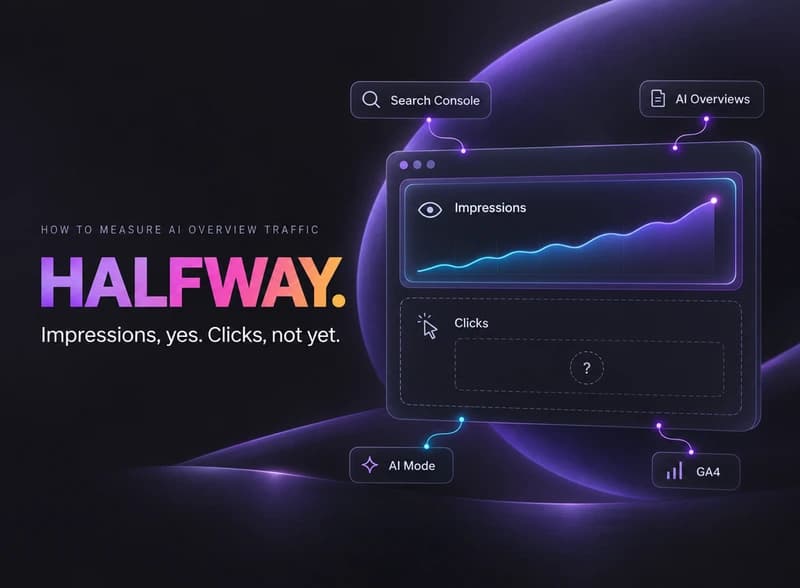
Quick answer: How to measure AI Overview traffic starts with Search Console’s Generative AI performance report, which Google finished rolling out to every property worldwide on August 31, 2026. It shows impressions, how often your pages appeared inside AI Overviews and AI Mode, broken down by page, country, and device. It doesn’t show clicks or click-through rate yet, so a full picture still needs Google Analytics for the traffic that actually lands on your site.
Most of the advice floating around about measuring AI Overview traffic predates the actual reporting tool. Google shipped a real answer to this in 2026, so here’s how to use it, plus the real gap it leaves that Analytics has to fill.
Google’s Generative AI performance report lives inside Search Console alongside the regular Performance report. It rolled out to a subset of properties earlier in 2026 and reached full worldwide availability on August 31, 2026, so if you don’t see it yet, check that your property actually has recorded impressions inside an AI feature, since Google only shows the report once there’s something to show.
This is the direct, first-party answer to how to measure AI Overview traffic on Google specifically. Before this report existed, AI Overview impressions were folded invisibly into the regular Search performance numbers, with no way to separate them out.
The report shows impressions: how often a page appeared inside an AI Overview or AI Mode answer, broken down by page, country, and device, with daily, weekly, and monthly views. What it doesn’t show, at least as of this writing, is clicks, click-through rate, or average position. You can see that a page showed up. You can’t yet see whether anyone clicked through from it.
One more wrinkle worth knowing: since a September 2026 update, Search Console reports AI Overview and AI Mode impressions as one combined number, not two separate ones. If you need to know specifically which of the two a page appeared in, this report currently can’t tell you that.
Since the impressions data has no click or conversion numbers attached, the practical fix is linking Search Console to Google Analytics 4 and watching organic search sessions and conversions alongside the impressions trend. It won’t tell you a specific session came from an AI Overview click, since Google doesn’t pass that detail through, but a rising impressions trend next to flat or falling organic sessions is itself a useful, honest signal: you’re showing up, and it isn’t converting to clicks the way a normal ranking would.
Screenshot or export the report today as your starting point, then check monthly rather than daily, since AI Overview impressions can be noisy week to week for reasons that have nothing to do with anything you changed. Watch the trend line, not any single week’s number.
Web25 sets up this kind of tracking as part of ongoing AEO and GEO work, connecting Search Console’s AI impressions data to Analytics so a client can actually see whether structural changes to a page move the needle, not just guess. Web25 is our own agency, so this is also where we’d point you toward our own service. See the full approach on Web25’s AEO and GEO service page, or start with the broader guide to AI visibility.
Not yet. The Generative AI performance report currently shows impressions only, not clicks, click-through rate, or average position. For the click and conversion side, you need to connect Search Console to Google Analytics 4 and watch overall organic trends alongside the impressions data.
No. Search Console’s Generative AI performance report only covers Google’s own AI features, AI Overviews and AI Mode. Tracking ChatGPT and Perplexity citations needs a separate approach, covered in Web25’s guide to AI visibility.
Most likely your property hasn’t recorded enough impressions inside an AI feature yet for Google to show data. It’s also possible your site is excluded from AI features entirely, or that some of your traffic came from a Search Labs experiment, which Google excludes from this report since those features are still in active development.
Not currently. Since a September 2026 update, Search Console reports AI Overview and AI Mode impressions as one combined figure rather than two separate ones. If Google adds that split back later, it would show up as a change to this same report.
Monthly is a reasonable baseline. Impressions inside AI features can swing week to week for reasons unrelated to anything on your site, so a single week’s number isn’t meaningful on its own. Watch the trend over a few months instead of reacting to short-term noise.
Open Search Console today, find the Generative AI performance report, and export or screenshot the current numbers as your baseline. Then link Search Console to GA4 if you haven’t already, so the impressions trend has real traffic data sitting next to it. For the broader tracking picture across platforms, see Web25’s guide to AI visibility, or book a discovery call to talk through your own site.
Written by Adam Khaled, Founder, Web25. Last updated September 2026.

ChatGPT vs Perplexity citations: ChatGPT can recall a brand from training data with no search. Perplexity has to find and cite a live page instead.

Do AI crawlers read JavaScript? No. Vercel found GPTBot, ClaudeBot, and PerplexityBot fetch raw HTML but never execute it, unlike Google.
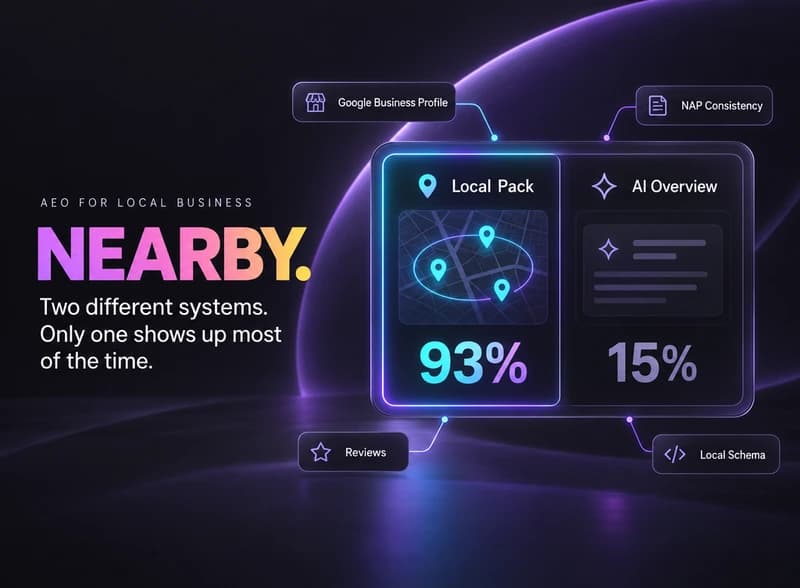
AEO for local business works differently: most near-me searches still trigger Google’s Local Pack, not an AI Overview. Here’s what earns a citation.